 e-Visa portal redesignCase study
Redesigning India's e-Visa portal
A government service used by millions of travellers, rebuilt on the UX4G design system — calmer, clearer, mobile-ready and accessible by default, without losing a single piece of essential content.
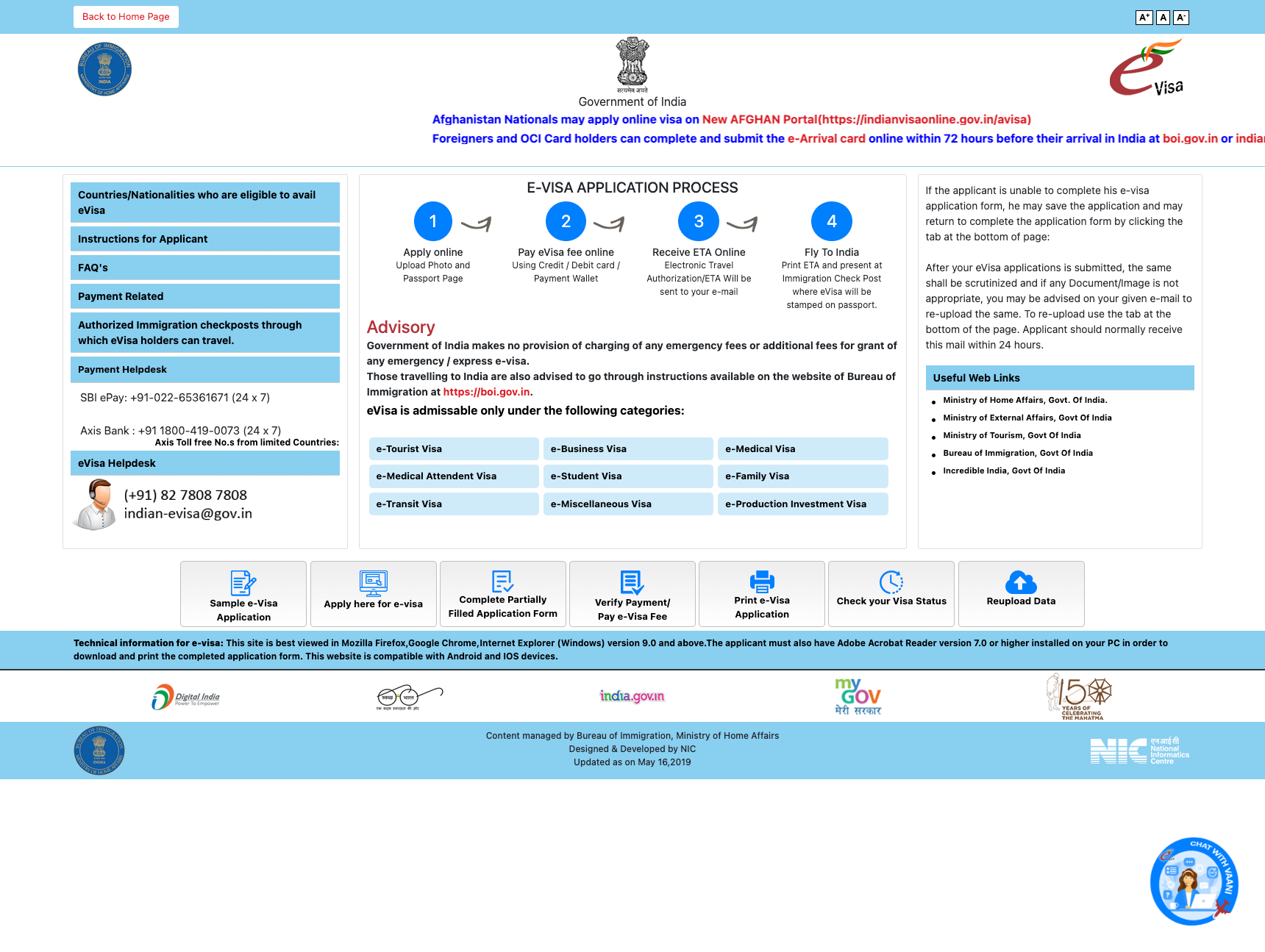
A trusted service that was hard to use
The original portal contained everything a traveller needs — but presented it as an undifferentiated wall of boxes, buttons and moving text. The content was right; the experience wasn't.
What informed the redesign
This phase was an expert review, not field research: a heuristic audit of the original portal, a task analysis of what travellers come to do, and a standards review against the obligations that bind Indian government services.
Four principles, drawn from UX4G
The UX4G design system gave us the tokens, components and content guidance. These principles shaped how we applied them.
From audit to government-grade
The redesign moved in deliberate passes: rebuild the service on UX4G's defaults first, then re-theme and harden it into a recognisable Government of India portal. Nothing essential from the original was removed at any stage.
What changed, and why
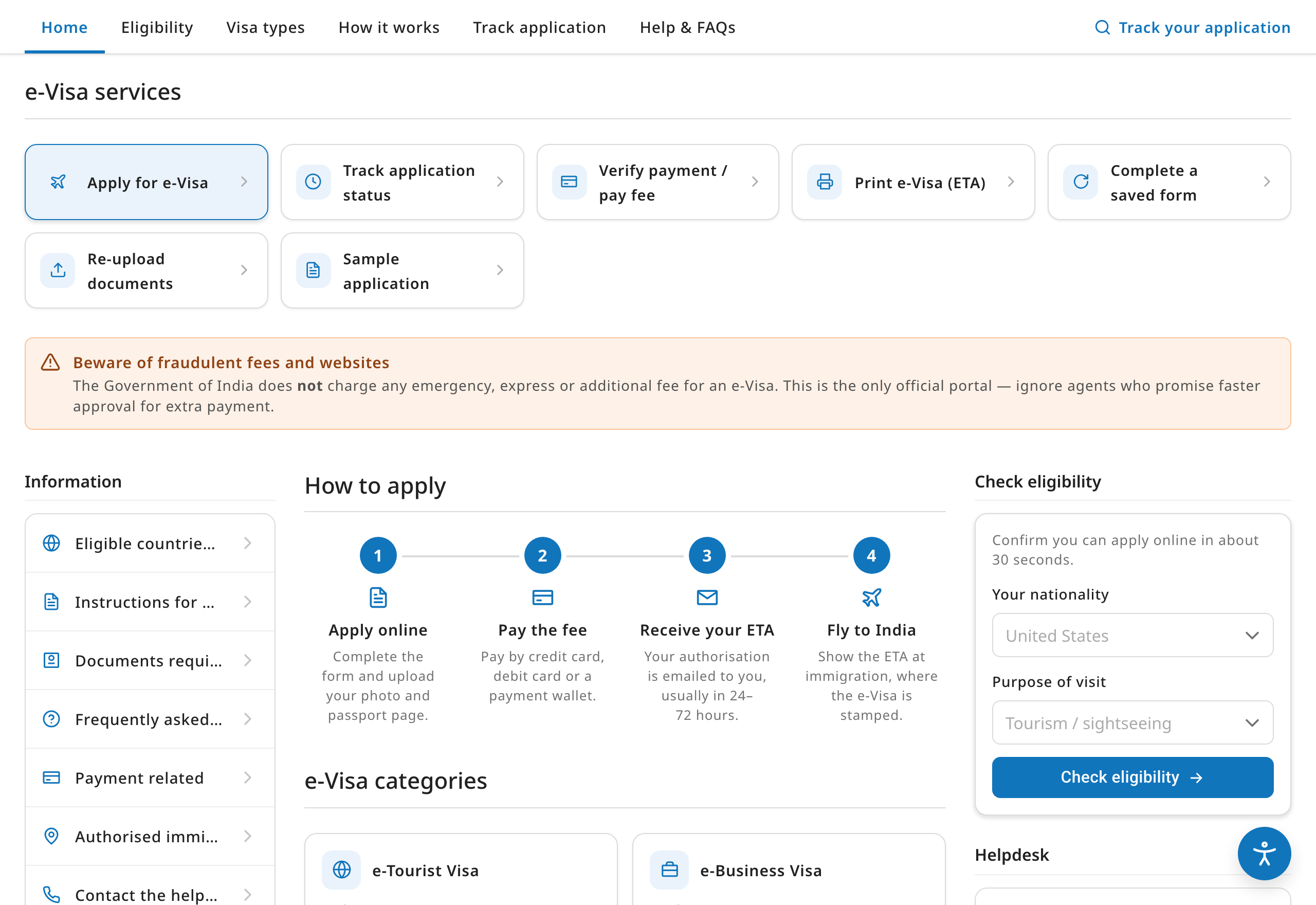
Seven equal buttons and stacked boxes with no grouping.
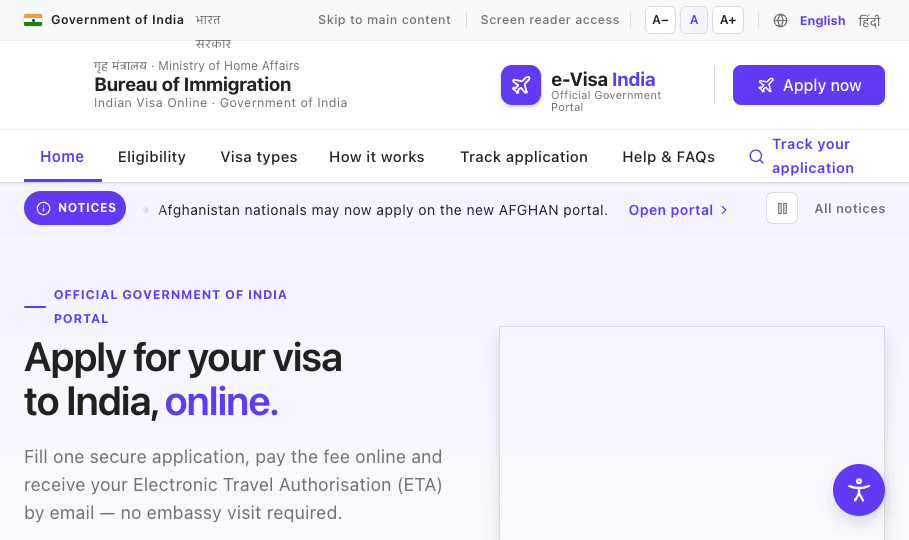
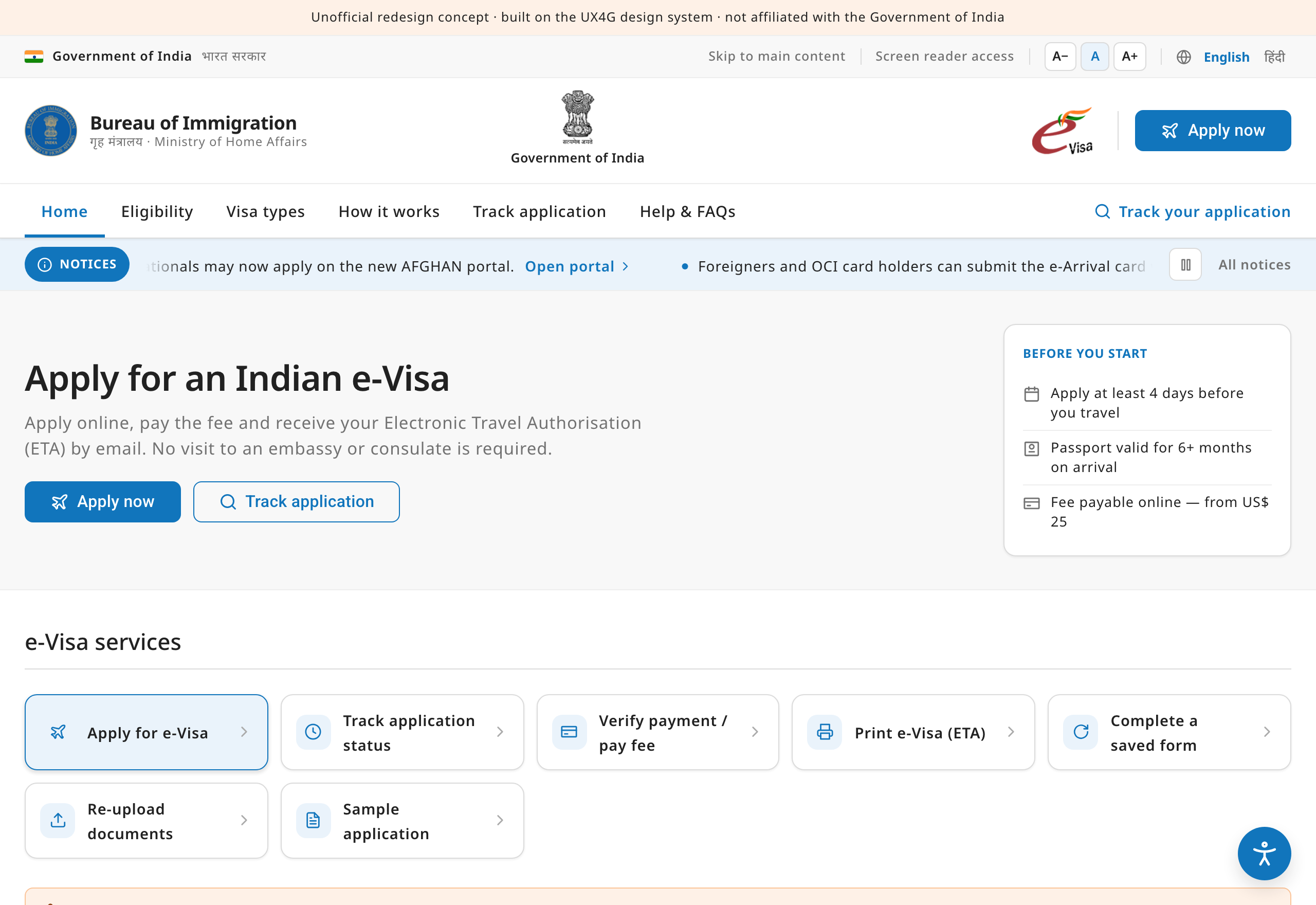
A clear top-to-bottom story: apply → how it works → visa types → advisory → manage → help. Returning users get a dedicated “Manage your application” area instead of competing with first-timers.
The page opened cold, with no welcome and no guidance on where to start.
A warm hero states the value in one line and offers a 30-second eligibility quick-check — nationality, purpose and arrival date — so people self-qualify before investing time in the form.
Continuous, unpausable scrolling text carried important legal notices.
Kept as a clearly-labelled “Notices” ticker that pauses on hover and focus, has an explicit pause control, and fully stops for anyone who prefers reduced motion — the message survives, the barrier doesn't.
Nine visa types listed as flat blue links.
Scannable cards, each with an icon, a one-line plain-language description and indicative validity, so travellers can recognise the right category at a glance.
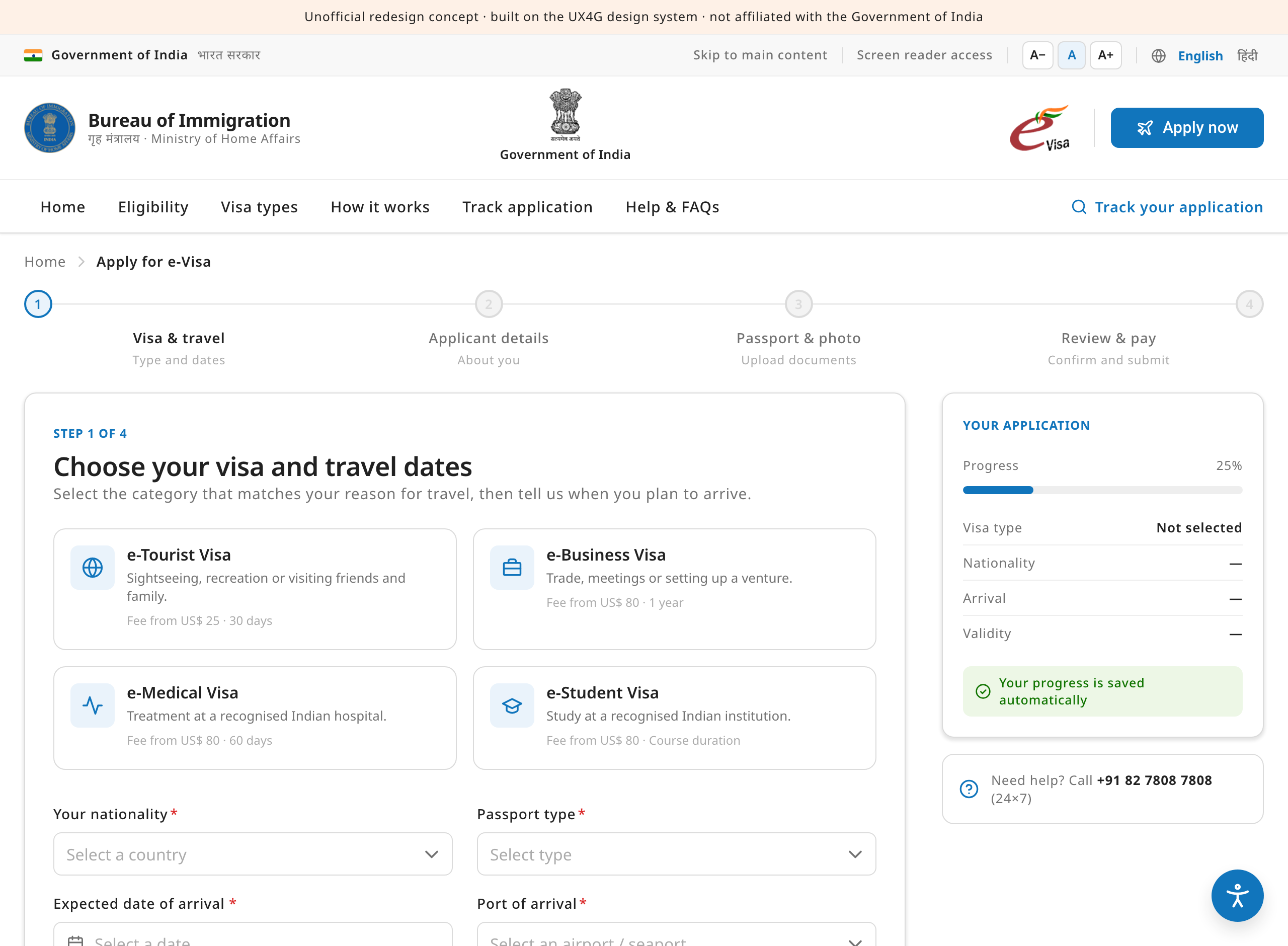
Applying meant facing one long, unforgiving form.
A four-step flow with a progress stepper, a live application summary, automatic saving and inline validation — breaking a daunting task into calm, recoverable steps.
Helpdesk numbers, advisories and partner logos were scattered.
Consolidated into a single help section with an FAQ accordion and clearly-grouped helpdesk contacts, plus a prominent anti-fraud advisory and a trust-badge band in the footer.
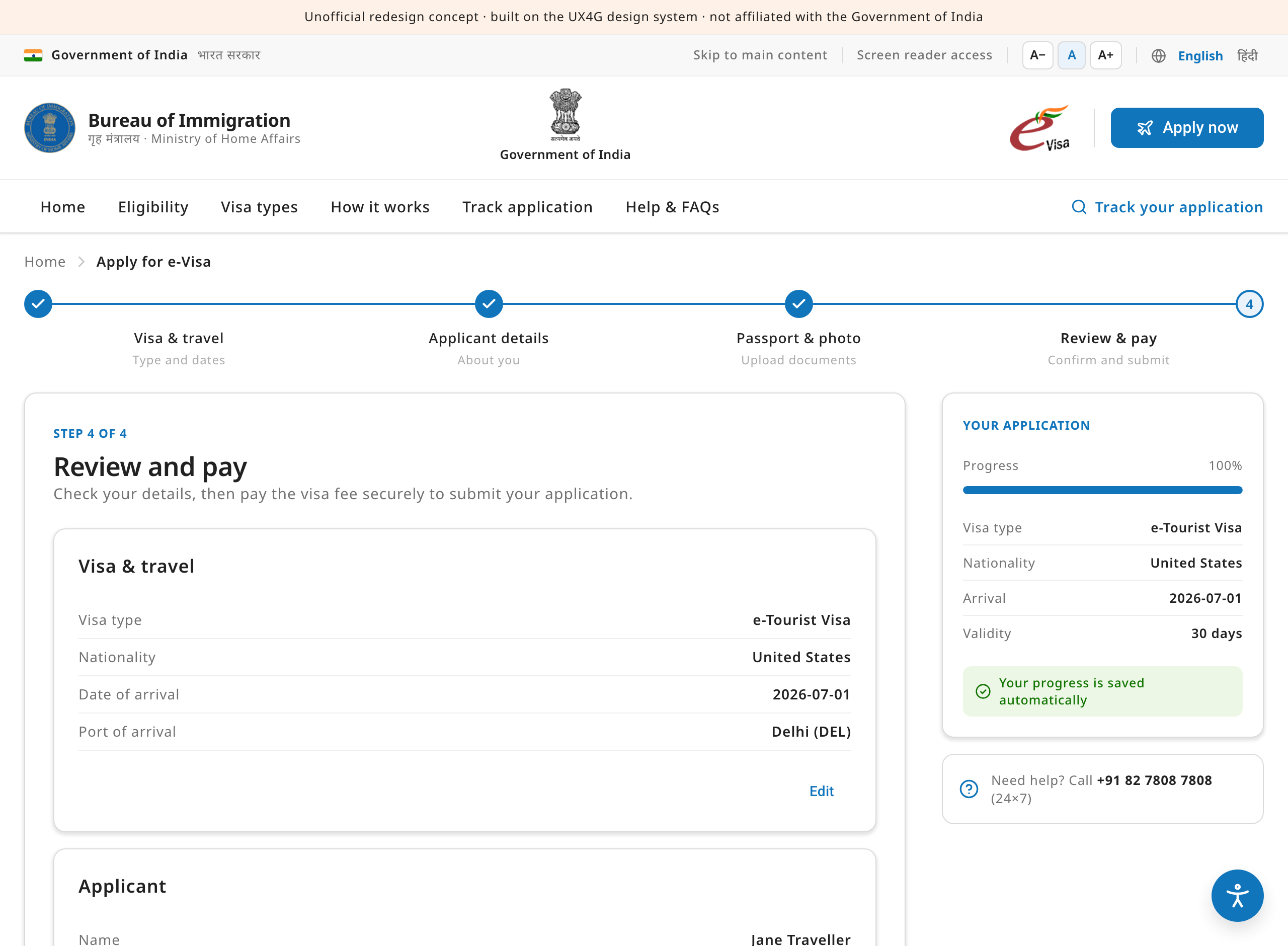
The same service in one hand
Most travellers will meet this service on a phone. These are captures of the actual redesign rendered at 390px — or open either page and resize the window to try it yourself.


Built to be used by everyone
Government services must work for every citizen. Accessibility was a constraint from the first token, aligned with WCAG 2.2 AA, GIGW 3.0 and the RPwD Act.
How we'll know it worked
The redesign has not yet faced live traffic, so this is a measurement plan rather than a results table — the six signals we would instrument from day one.
| Metric | Why it matters | Success looks like |
|---|---|---|
| Application completion | The share of started applications that reach submission — the single clearest measure of whether the guided flow works. | Fewer abandoned applications; recoverable drafts resumed and finished. |
| Time to complete | The redesign promises “most forms take ~15 minutes”; the median should honour that promise. | Median completion at or under 15 minutes. |
| Helpdesk contact rate | The original page leads with four helplines — every avoidable call is a sign the interface failed first. | Fewer contacts per 1,000 applications about form, payment and re-upload issues. |
| Mobile parity | Phones are the most common context; success there can't lag the desktop experience. | Mobile completion within a few points of desktop. |
| Ineligible entries | The 30-second eligibility check should stop people investing time in applications that will be refused. | Fewer ineligible applications entering — and being rejected from — the form. |
| Accessibility conformance | WCAG 2.2 AA is an obligation, not an aspiration, for a government service. | A clean independent audit plus task success in assistive-technology testing. |
Everything is UX4G
The redesign composes UX4G 2.0 components and tokens — re-themed to a government blue through the system's own themeable primary, with the 8-point spacing grid and the soft elevation scale — so it stays consistent with the wider family of Indian government services.